Dentist Appointment Booking Software: Features Clinics Actually Need
By Calvy Team · June 27, 2026
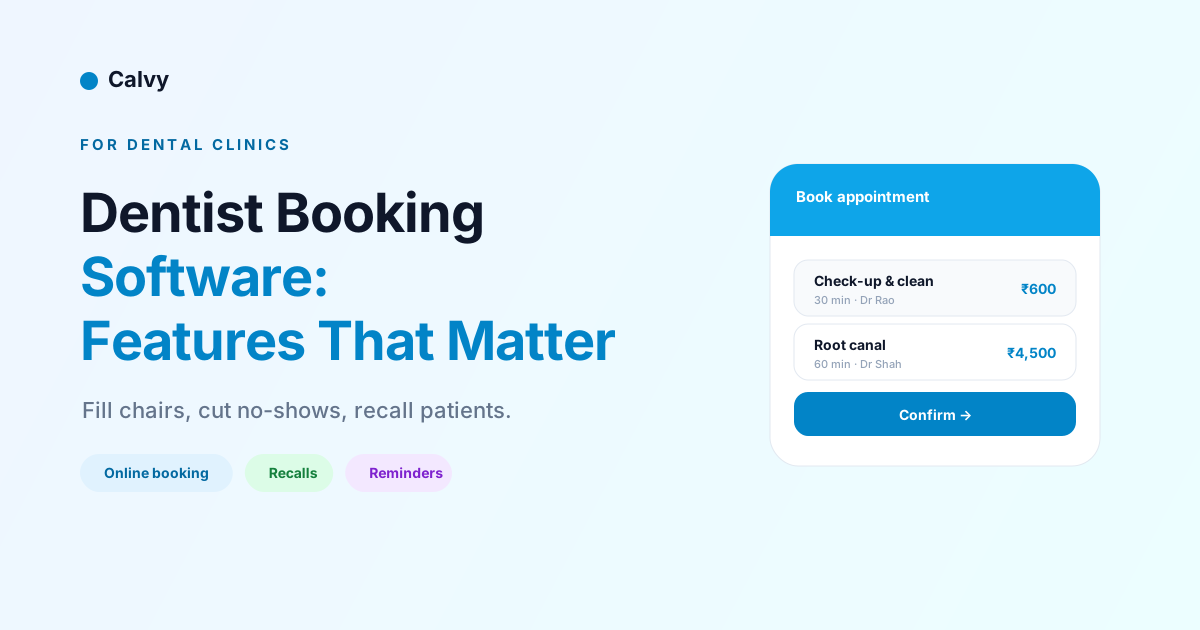
Dental clinics run on a calendar, and a poorly managed one is expensive in ways that add up fast: empty chairs from no-shows, double-booked dentists, patients who never return for their check-up, and a front desk buried in phone calls. Dentist appointment booking software is meant to fix all of that — but generic scheduling tools often miss the features a dental practice specifically needs, leaving clinics frustrated with software that wasn't built for how they actually work.
This guide focuses on exactly that: the features that matter for a dental clinic, why each one earns its place, and how to choose software that fits the rhythms of a practice rather than fighting them. Whether you're a single-dentist clinic or a multi-chair practice, the goal is the same — a full, well-ordered schedule, fewer no-shows, and patients who keep coming back. If you also want patients to be able to self-book from your website, our companion guide on letting patients book dentist appointments online pairs well with this one.
Why dental clinics need purpose-fit booking software
A dental practice has scheduling demands that a hair salon or a coaching business simply doesn't. Appointments vary enormously in length, from a quick check-up to a long, complex treatment. Multiple dentists and hygienists work in parallel across several chairs. Patients need to return at regular intervals for recalls. And the cost of a no-show is high, because a missed hour in a clinical chair can rarely be filled at short notice.
Generic booking tools handle the basics but stumble on these specifics. They may not model multiple chairs and clinicians cleanly, may lack recall scheduling entirely, and may not support deposits on the longer treatments where no-shows hurt most. The result is software that technically books appointments but doesn't fit how a clinic operates, leaving the team working around the tool instead of with it.
Purpose-fit booking software, by contrast, is built around the realities of a practice: variable appointment lengths, several providers, recalls, deposits, and clear patient communication. Choosing software that respects those realities is what turns a booking system from a box-ticking exercise into something that genuinely makes the clinic run better — quieter phones, fuller chairs, and patients who return on schedule.
Feature 1: Real-time online booking
The foundation is letting patients book online, in real time, seeing genuine availability and getting instant confirmation. This matters more for dental clinics than many realise. A large share of patients — especially younger ones and busy professionals — strongly prefer to book outside office hours without a phone call, and a clinic that can't offer that quietly loses them to one that can.
Real-time online booking also captures new patients at the moment of decision. Someone with a toothache searching for a nearby dentist at 9 p.m. wants to book now, not leave a message and hope for a callback. A booking page open around the clock turns that urgent intent into a confirmed appointment instead of letting it cool overnight and drift to a competitor. And research has linked self-scheduled appointments to lower no-show rates, likely because patients who actively chose their own slot are more invested in it.
The key requirement is that the online booking reflects the clinic's true availability across all dentists and chairs — not a separate, manually maintained calendar that drifts out of sync. When the booking page is the same system the front desk uses, patients only ever see real openings, and every online booking lands cleanly in the clinic's schedule.
Feature 2: Multiple dentists, chairs, and resources
A dental practice is rarely one calendar — it's several running at once. Different dentists and hygienists work simultaneously, each tied to a chair or operatory, sometimes with shared equipment. Booking software for a clinic has to model this properly, or it will either block bookings that should be possible or allow ones that aren't.
Good software treats each dentist and each chair as a resource with its own schedule, so the system only offers a slot when the right provider and the right chair are both genuinely free. This lets the clinic run at full capacity — several patients seen in parallel — without ever double-booking a dentist or a room. It should also handle the reality that some treatments require a specific clinician or specialist, routing those bookings accordingly, while routine check-ups can go to whoever is available.
For multi-location practices, the same logic extends across sites, with each location's providers and chairs modelled separately. The test when evaluating software is simple: can it accurately represent your clinic's real layout of people and rooms? If it forces you to flatten a busy multi-chair practice into a single calendar, it will fight you every day. If it mirrors your true capacity, it disappears into the background and just works.
Feature 3: Automatic reminders
No-shows are one of the biggest, most avoidable costs a dental clinic carries, and automatic reminders are the first line of defence. People lead busy lives and forget appointments made weeks earlier; a timely reminder dramatically cuts that forgetfulness. Studies of healthcare scheduling consistently show meaningful drops in no-shows when reminders are sent, and the effect is reliable enough that reminders should be considered essential, not optional.
The software should send reminders automatically across the channels patients actually check — typically a confirmation at booking, a reminder a day or two before, and often a final nudge on the day. Each reminder should be clear and, crucially, actionable: a one-tap link to reschedule means a patient who genuinely can't make it moves the appointment rather than simply vanishing. That single feature recovers a surprising number of slots that would otherwise sit empty.
Automating reminders also lifts a real burden off the front desk. Instead of staff manually phoning patients to confirm, the system handles it consistently and tirelessly, freeing the team for the patients in front of them. The combination of fewer no-shows and less manual chasing is often the clearest, fastest return a clinic sees from booking software. Our full guide to reducing appointment no-shows covers the wider toolkit.
Feature 4: Deposits for higher-value treatments
Reminders handle forgetfulness, but they don't address the patient who simply doesn't prioritise the appointment. For that, deposits are the answer — and in dentistry they matter most on exactly the appointments where a no-show is most costly: long, high-value treatments that occupy a chair and a clinician for an extended block.
Taking a deposit when a patient books a longer or more expensive treatment gives them a real reason to show, and filters out the casual bookings that were never firm. A patient who has paid a deposit toward a root canal or a course of treatment is far more likely to keep the appointment, and if they do need to cancel, your deposit policy protects the clinic against the lost time. For routine check-ups, many clinics skip deposits to keep booking frictionless, reserving them for the appointments where the financial stakes justify it.
The software should make collecting deposits seamless — handled at the point of booking through an integrated payment provider supporting cards, wallets, and UPI, so patients pay in seconds. (Calvy, for instance, takes deposits natively through Razorpay.) Done well, deposits become an invisible safeguard: routine bookings stay easy, while your most valuable chair time is protected from the no-shows that hurt the practice most.
Feature 5: Recall scheduling
Recall scheduling is the feature that separates dental booking software from generic tools, and it's central to a healthy practice. Recalls are the routine returns — check-ups and cleanings at regular intervals — that keep patients healthy and keep the clinic's revenue predictable. A practice that lets recalls slip loses both patient goodwill and a steady, reliable stream of appointments.
Good software automates the recall cycle. When a patient completes a check-up, the system knows when they're next due and can automatically prompt them to rebook at the right interval, with reminders that bring them back rather than relying on the patient to remember or the front desk to chase a long list manually. This turns recalls from a leaky, labour-intensive process into a dependable engine that keeps chairs full with the routine appointments that underpin the practice.
The revenue effect is significant. Recalls are recurring, predictable, and clinically valuable, and a clinic that reliably brings patients back on schedule enjoys a far steadier calendar than one constantly hunting for new bookings to fill gaps. When you evaluate booking software for a dental clinic, recall handling is one of the clearest dividing lines between tools built for dentistry and tools merely adapted to it.
Feature 6: Easy rescheduling and cancellation
Life happens, and patients will sometimes need to change appointments. The question is whether that change becomes a smooth reschedule or a frustrating phone call — or worse, a silent no-show because rescheduling felt like too much hassle. Software that makes self-service rescheduling effortless converts a large share of would-be no-shows into retained appointments.
Patients should be able to reschedule or cancel from their confirmation or reminder with a tap, within whatever rules and notice period the clinic sets. When that path is easy, patients use it — they move the appointment rather than abandoning it — which keeps the schedule accurate and gives the clinic a chance to fill the freed slot. When rescheduling is hard, patients default to simply not showing up, which is the worst outcome for everyone.
For the clinic, self-service rescheduling also slashes front-desk workload. Every change a patient makes themselves is a phone call the team doesn't have to field, and an accurate, self-maintaining calendar is one the staff can trust. Cancellation policies and notice periods, enforced automatically by the software, keep this flexibility from being abused while still giving patients the convenience they expect.
Feature 7: A mobile-first patient experience
The overwhelming majority of patients will interact with your booking system on a phone, so a mobile-first experience isn't a nice-to-have — it's the experience. If booking, paying a deposit, or rescheduling is clumsy on a small screen, patients abandon the process, no matter how capable the software is underneath.
A strong mobile experience means a booking page that loads fast, shows availability clearly, and walks the patient from service to time to confirmation in a few effortless taps. The deposit step should be just as smooth, with payment methods patients already use. Reminders should arrive where patients see them and link straight to a mobile-friendly rescheduling flow. Every point of friction on mobile is a point where a booking can be lost.
This matters especially for capturing new patients, who often find a clinic on their phone and decide on the spot. A seamless mobile booking turns that fleeting intent into a confirmed appointment; a frustrating one sends them back to the search results. When you evaluate software, test it on a phone first, exactly as your patients will — it's the truest measure of whether the tool will actually fill your chairs.
Feature 8: Handling emergencies and same-day appointments
Dentistry has a category most service businesses don't: the emergency. A patient in pain needs to be seen quickly, and how your booking system handles that urgency directly affects both patient care and practice reputation. Software that only allows bookings days or weeks out fails exactly when a patient needs you most.
Good dental booking software lets you keep some capacity flexible for same-day and emergency appointments — whether by reserving certain slots, flagging a service as urgent, or making it easy for the front desk to slot someone in around the planned schedule. When a patient with a broken tooth searches at 8 a.m., the ability to offer a same-day slot, online and immediately, can be the difference between winning a grateful long-term patient and sending them to the clinic down the road.
The system should also make it easy to fill gaps created by cancellations with these urgent cases, so a slot freed by a last-minute change becomes an emergency appointment rather than dead time. Handling urgency well is a quiet but powerful differentiator — patients remember the practice that saw them when it mattered.
Feature 9: Patient records and history
Every appointment is also a data point, and booking software that captures patient details and history makes the whole practice run better. At minimum, the system should hold each patient's contact details, their appointment history, and which dentist they usually see, so the clinic has a clear picture of every patient over time.
This history powers better service and smarter scheduling. It lets the front desk greet returning patients by name and book them with their preferred clinician, supports recall scheduling by knowing when each patient is due, and enables targeted communication — reminding patients overdue for a check-up, for example. It also smooths operations, since knowing a patient's history helps allocate the right appointment length and provider before they arrive.
For clinics running a separate practice-management system for clinical records, the booking software should complement rather than duplicate it, focusing on the scheduling and patient-communication side. For smaller practices, a booking tool that maintains solid patient records may cover much of what's needed without a heavier system. Either way, a booking tool that treats patients as known individuals rather than anonymous slots is one that strengthens the practice over time.
Feature 10: Cutting front-desk workload
It's easy to focus on the patient-facing benefits and overlook one of the biggest returns a clinic gets from booking software: a dramatically lighter load on the front desk. In many practices, reception spends a large share of the day on the phone — booking, confirming, rescheduling, and chasing — work that booking software automates almost entirely.
When patients book, reschedule, and cancel themselves online, and the system sends confirmations, reminders, and recall prompts automatically, the phone stops ringing for routine scheduling. That frees the front desk to focus on the patients physically in the clinic, to handle the complex cases that genuinely need a person, and to deliver a calmer, more attentive experience overall. The team does higher-value work, and the practice feels less frantic.
This isn't just a convenience — it's a real cost saving and a quality improvement at once. Reclaimed front-desk hours either reduce staffing pressure or get redirected into better patient care, and a reception team that isn't drowning in calls makes fewer mistakes. For many clinics, the workload reduction alone justifies the software, with the fuller chairs and lower no-shows on top.
Booking software vs full practice-management systems
It's worth being clear about the spectrum of tools, because buying more than you need wastes money and adds complexity. At one end is focused booking software that handles scheduling, reminders, deposits, recalls, and patient communication. At the other are full practice-management systems that bundle scheduling with clinical records, charting, imaging, insurance, and billing.
Full practice-management suites are powerful and, for many established clinics, necessary for the clinical and billing side. But they're also expensive, complex, and often weaker on the patient-facing booking experience than dedicated booking tools. Some clinics find their practice-management system handles records well but offers a clunky, dated online booking flow that patients dislike — which is precisely where a modern booking layer adds value.
The right answer depends on the clinic. A new or small practice may do well with focused, modern booking software that nails the patient experience, adding clinical systems as it grows. A larger clinic may run a practice-management system for records and billing while using a sharper booking tool for the front-end patient experience. The key is not to assume the heaviest system is the best one for booking — the patient-facing experience is its own discipline, and it's the one that fills your chairs.
How to choose dental booking software
To choose well, score each option against the features above, weighted by your clinic's reality. Confirm it offers genuine real-time online booking that reflects your true availability. Check that it models your actual layout of dentists and chairs without forcing you to flatten it. Make sure automatic reminders and easy self-service rescheduling are built in, since those drive your no-show reduction. Verify it can take deposits on your higher-value treatments, and that it handles recall scheduling — the dividing line between dental-fit and generic tools. Finally, test the whole thing on a phone, because that's where your patients live.
Weigh cost honestly too. Most booking software is a predictable monthly subscription; be wary of per-booking pricing that quietly taxes a busy practice, and factor in standard payment-processing fees on deposits. Against the empty chairs you'll fill and the no-shows you'll prevent, good booking software pays for itself quickly — it's one of the highest-return tools a clinic can adopt.
The bottom line
The best dentist appointment booking software isn't the one with the longest feature list — it's the one built around how a dental practice actually works. Real-time online booking, proper handling of multiple dentists and chairs, automatic reminders, deposits on high-value treatments, recall scheduling, effortless rescheduling, and a genuinely mobile-first experience are the features that fill chairs, cut no-shows, and bring patients back on schedule. Match those to your clinic, test on a phone, and choose the tool that fits rather than the one that merely books.
Ready to give patients booking they'll actually use? Start free with Calvy and keep your chairs full and your front desk free. From the first online booking, you'll see fewer empty slots, fewer missed appointments, and a reception team with the time to look after the patients who are actually in the clinic — which is exactly where their attention belongs. Over the following months, the recall engine quietly brings patients back on schedule, the deposits protect your most valuable chair time, and the steady drumbeat of reminders keeps your calendar fuller and more predictable than it has ever been before.
Frequently asked questions
What is dentist appointment booking software?
It's software that lets patients book, reschedule, and cancel dental appointments online, while the clinic manages the calendar, multiple dentists and chairs, deposits, reminders, and recalls in one place. The best options are built around the specific rhythms of a dental practice rather than generic scheduling.
What features should dental booking software have?
The essentials are real-time online booking across multiple dentists and chairs, automatic reminders, easy rescheduling, deposits for higher-value treatments, and recall scheduling for routine check-ups. Mobile-friendliness and clear patient communication matter too, since most patients book from a phone.
Can dental booking software reduce no-shows?
Yes, significantly. No-shows are a major cost for clinics, and the combination of automatic reminders and deposits for longer treatments addresses both forgetfulness and lack of commitment. Easy self-service rescheduling also converts would-be no-shows into moved appointments.
What is recall scheduling and why does it matter?
Recall scheduling is the system that brings patients back for routine check-ups and cleanings at the right interval. It's central to a healthy dental practice because regular recalls drive both patient health and predictable revenue. Good booking software automates recall reminders so patients return on schedule.
Do patients prefer to book dental appointments online?
Increasingly, yes. Many patients prefer the convenience of booking outside office hours without a phone call, and online self-scheduling has been linked to lower no-show rates. Offering online booking also helps a clinic capture new patients who would otherwise move on if they couldn't book immediately.
How much does dentist appointment booking software cost?
Most booking software is sold on a monthly subscription, with simpler booking tools costing less than full practice-management suites that bundle clinical records and billing. Factor in payment-processing fees on deposits, and be wary of per-booking pricing that scales with your patient volume.