Auto Repair Appointment Scheduling: Replace the Paper Book with Online Booking
By Calvy Team · June 27, 2026
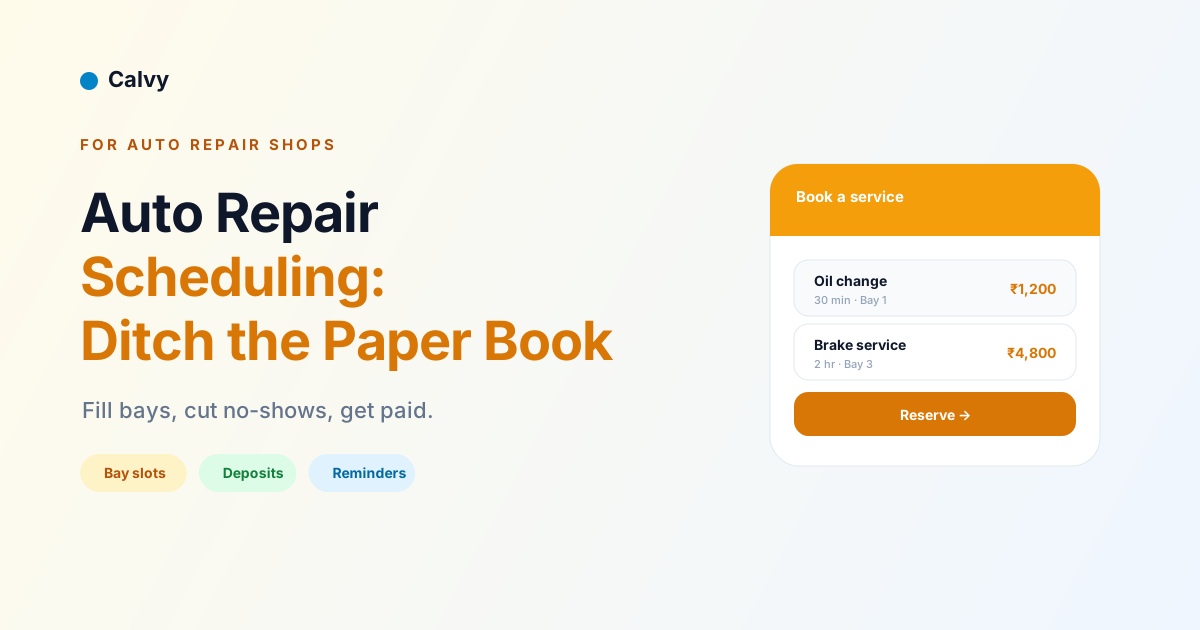
Walk into most independent repair shops and you'll still find the schedule living in a dog-eared paper appointment book on the front counter. It has worked for decades, but it quietly costs the shop every day: only one person can read it, it can't remind anyone, it can't take a deposit, and a single coffee spill or scribbled change can throw the whole week into confusion. Replacing that paper book with online booking is one of the highest-return upgrades a repair shop can make — and it's far simpler than most owners expect.
This guide walks through exactly why the paper book holds you back, what changes when you move online, and how to set up auto repair scheduling that fills your bays, cuts no-shows, and captures the after-hours work you're currently losing. The principles apply whether you run a two-bay neighbourhood garage or a busy multi-technician shop.
Why the paper appointment book holds your shop back
The paper book's limitations are easy to overlook because you've worked around them for years, but they're real money. It can only be in one place at a time, so a technician in the back can't see the day's plan without walking to the counter. It can't send a reminder, so no-shows depend entirely on customers remembering an appointment they made two weeks ago. It can't take a deposit, so every booking is a soft promise with nothing behind it.
It's also fragile. A misread entry, a double-booked slot, a page that gets lost — each is a disruption that ripples through the day. And critically, the paper book is closed when your shop is closed. The customer who decides at 9 p.m. that their brakes need looking at can't book; they leave a voicemail you might return tomorrow, by which point they may have called someone else. Every one of those gaps is revenue slipping away, invisibly, day after day.
What online booking changes day to day
Moving online changes the daily rhythm of the shop in ways you feel immediately. The schedule lives in the cloud, so every technician sees the same up-to-date plan from any device, and changes sync instantly instead of relying on someone updating the counter book. Customers book themselves around the clock, so work flows in even when the phone isn't answered.
Reminders go out automatically, so the day's bookings actually turn up. Deposits secure the jobs that matter. And the front desk, freed from constant scheduling calls, can focus on the customers and cars in front of them. The whole operation becomes calmer and more predictable: you can see the week coming, staff to it, and prep for the big jobs. None of this requires you to change how you fix cars — it just removes the friction around getting them booked in.
Mapping your services to bookable slots
The setup that makes everything work is translating your service menu into the system's logic. List each service you offer — oil change, brake service, diagnostics, tyre fitting, major repair — with an honest duration, because a 30-minute oil change and a half-day repair can't be scheduled the same way. Accurate durations are what stop the system from stacking a long job on top of a quick one.
Group services sensibly so customers can find what they need quickly, and decide which can be booked instantly at a fixed price and which need a quote or inspection first. A standard oil change has a knowable price and time, so let customers book it in a tap. A "strange noise from the engine" needs diagnosis before you can commit, so handle it as a request or an inspection booking. Getting this menu right once means the booking page faithfully reflects what your shop can actually deliver, every day after.
Service bays, lifts, and technicians as resources
The worry every shop owner has about online booking is double-booking a bay or a technician, and proper software makes that impossible by treating each as a resource with its own schedule. When a customer picks a time, the system checks whether a suitable bay or lift is free and whether a qualified technician is available, and only offers the slot if both are.
This is what lets you safely run several jobs in parallel. A two-hour brake job on Lift 1 doesn't block a quick oil change on Lift 2, because the system tracks each independently. If a particular job needs a specific technician's expertise, it's only offered when that person is free; routine work can go to whoever's available. For multi-bay, multi-technician shops, this resource-aware scheduling is the difference between running at true capacity and constantly tripping over conflicts. It's the single most important capability to confirm when choosing software.
Quote-first vs instant booking for repairs
Auto repair has a wrinkle that simpler businesses don't: many jobs can't be priced until the car is inspected. So decide which model fits each service. Instant booking works for standardised, fixed-price work — oil changes, scheduled services, tyre fitting — where the customer picks a time and it's confirmed immediately, ideally with a deposit. This is the friction-free path; use it wherever a service has a knowable price and duration.
Quote-first booking suits diagnostic and major repair work. Here the customer requests an appointment — often a drop-off or inspection — and you confirm or quote before committing the full job. Good software supports this by letting a booking be a request you approve rather than an instant confirmation. The best setups offer both, so you capture the easy standardised work automatically while still handling complex repairs properly. Forcing everything into one model is where shops get frustrated with generic booking tools that weren't built for the realities of repair work.
Taking deposits for booked work
Auto repair ties up expensive resources — a bay, a lift, a technician's time — before a single rupee comes in, which makes deposits more valuable here than in many businesses. Taking a deposit when a customer books, especially for longer jobs, gives them a real reason to show and filters out the casual bookings that were never firm.
A customer who has put money down toward a brake job or a major service is far more likely to keep the appointment, and if they cancel, your deposit policy protects the shop against the lost capacity. For quick, low-value services you might skip deposits to keep booking frictionless, reserving them for the jobs where a no-show genuinely hurts. Modern booking software collects deposits online through cards, wallets, and UPI, so customers pay in seconds. Calvy, for example, handles this natively through Razorpay. The wider mechanics are covered in our guide to accepting online payments for appointments.
Cutting no-shows at your shop
A no-show in a repair shop is doubly painful: a reserved bay sits empty, and the technician you scheduled has nothing to do. The two levers that bring no-shows down work especially well here. The first is the deposit described above — money on the line keeps people committed. The second is automatic reminders: a confirmation at booking, a reminder the day before, and a nudge on the morning of the appointment keep the job top of mind.
Make every reminder actionable with a one-tap rescheduling link, so a customer who genuinely can't make it moves the booking instead of vanishing. That converts a chunk of would-be no-shows into retained work and gives you the chance to fill the freed slot. Together, deposits and reminders typically push no-shows far below what the paper book ever allowed. Our full playbook on reducing appointment no-shows applies directly to a repair shop.
Handling drop-offs, waiters, and loaner cars
Repair shops juggle logistics other businesses don't — customers who drop the car and leave, those who wait, and shops that offer loaner vehicles. Booking software helps you manage all of it. You can capture at booking whether a customer will wait or drop off, which helps you plan the bay and the timeline. You can collect the vehicle details and the work requested up front, so the car arrives with the job already understood.
For shops offering loaner cars or shuttle service, the booking can flag the need, letting you coordinate that resource alongside the repair. Capturing these details at the point of booking — rather than discovering them when the customer arrives — smooths the whole day and prevents the bottlenecks that happen when a waiter expects to be done in an hour but the job actually takes three. The more your booking flow reflects how your shop really operates, the more it works for you instead of against you.
Reminders and customer communication
Beyond cutting no-shows, automatic communication makes your shop look more professional and keeps customers informed without tying up the phone. A clear confirmation at booking reassures the customer their slot is secured. Reminders keep the appointment on their radar. And status updates — letting a customer know their car is ready, or that additional work was found and needs approval — turn a stressful experience into a transparent one.
This communication builds trust, which matters enormously in auto repair, an industry where customers often feel uncertain and wary. A shop that keeps them informed at every step earns repeat business and referrals. Booking software that handles confirmations and reminders automatically, and makes it easy to message customers about their job, removes a real burden from the front desk while improving the customer relationship. It's a quiet competitive advantage over the shop still relying on hurried phone calls and a paper book.
Capturing after-hours bookings
One of the most immediate wins from online booking is capturing demand when your shop is closed. A large share of booking intent appears in evenings and at weekends, when drivers finally have time to deal with the car they've been meaning to get looked at. With a paper book, all of that intent hits a closed door and a voicemail. With an online booking page, it converts into confirmed appointments around the clock.
This after-hours capture is often pure incremental revenue — work you simply weren't getting before. The customer who realises at 10 p.m. that their service is overdue can book the next available slot right then, while the thought is fresh, instead of forgetting by morning or calling a competitor who answered first. For many shops, the after-hours bookings alone justify the move online, before counting the no-show reductions and efficiency gains on top.
Building a customer and vehicle database
Every booking is also a chance to build a record that makes future work easier and your marketing sharper. Good booking software captures each customer's contact details, their vehicle, and a history of the work you've done. Over time, this becomes one of your most valuable assets: a list of known customers and known vehicles, with a service history attached.
That database pays off in several ways. It lets you greet returning customers and pull up their vehicle's history instantly. It supports service reminders — prompting a customer when their next oil change or scheduled service is due. And it enables targeted outreach, like reaching everyone whose vehicle is approaching a major service interval. The paper book builds none of this; it forgets every customer the moment the page turns. Online booking quietly compounds each visit into a richer picture of your customer base, which is the foundation of repeat business.
Service reminders and recurring maintenance
Vehicles need regular maintenance on a predictable schedule, and that predictability is a gift to a repair shop that captures it. Booking software with a customer and vehicle database can automate service reminders — prompting customers when their next oil change, service, or inspection is due based on time or mileage. This brings them back on schedule rather than relying on them to remember.
These recurring touchpoints are the auto repair equivalent of a dental recall: predictable, valuable, and far easier to fill than chasing brand-new bookings. A shop that reliably reminds customers when maintenance is due enjoys a steadier flow of work and stronger customer loyalty, because you're helping drivers look after their cars rather than waiting for something to break. It also positions your shop as the trusted, proactive choice — the one that keeps track so the customer doesn't have to. Turning one-off repairs into ongoing maintenance relationships is one of the most powerful things online booking enables.
Reviews and reputation
In auto repair, reputation is everything, and online booking helps you build it. After a completed job, the system can automatically prompt satisfied customers to leave a review, and a steady stream of fresh reviews on your Google Business Profile directly drives more enquiries — because drivers choosing a shop lean heavily on the experiences of others.
This matters more in repair than in many trades, because customers often feel vulnerable to being overcharged or misled, and visible, recent reviews are powerful reassurance. A shop with a strong, current review profile wins the trust of new customers before they've even called. Booking software that makes review requests automatic turns every happy customer into a potential advocate, with no manual effort from your team. Combined with the professional communication and reliable scheduling that online booking provides, it builds the kind of reputation that fills bays through word of mouth. Our guide to getting more bookings covers more on turning a good reputation into a full calendar.
Setting up your auto repair booking page
Going live is faster than most owners expect. A realistic one-day plan:
- List your services with names, durations, and prices, marking which are instant-book and which are quote-first.
- Define your capacity — bays, lifts, and technicians, and which jobs need which.
- Set your hours, buffers, and lead time so the schedule reflects reality.
- Turn on deposits for the jobs that warrant them.
- Switch on reminders with a rescheduling link.
- Share your booking link on your website, Google Business Profile, and social channels.
No app development is required. By the end of the day you have a booking page taking reservations and deposits around the clock. Our Help Center walks through each step.
Choosing the right tool: a checklist
Before committing, run any option past these questions: Does it model bays and technicians so it can't double-book? Can it take deposits via UPI and cards? Does it send automatic reminders with self-service rescheduling? Does it support quote-first booking for diagnostic work? Does it build a customer and vehicle database with service reminders? Is the booking page genuinely mobile-first? And is the pricing simple and predictable, without per-booking fees that punish a busy shop? A tool that ticks these boxes will pay for itself quickly in filled bays and prevented no-shows.
Online booking vs phone-only: the customer's view
It's worth seeing the change from the customer's side, because it explains why the shops that move online pull ahead. A driver who needs a service today has a choice of shops, and increasingly they choose the one that's easiest to deal with. A shop that only takes bookings by phone asks the customer to call during business hours, wait on hold, and explain everything verbally — friction that, in a world of instant online everything, feels dated.
A shop with online booking lets that same driver see real availability, pick a slot, and confirm in under a minute, at whatever hour suits them. To the customer, the second shop simply feels more professional and more respectful of their time, and that impression forms before they've even visited. Younger drivers in particular default to booking everything digitally and may not call at all. Offering online booking isn't just an internal efficiency — it's how a growing share of customers decide whether to choose you in the first place.
Common mistakes shops make moving online
A few avoidable errors trip up shops in their first weeks online, and knowing them smooths the transition. The most common is underestimating job durations, which causes overlaps and rushed work; time your services honestly, including buffers. Another is skipping deposits on the jobs that warrant them, leaving the biggest no-show lever unused. Some shops hide the booking link, burying it where customers never find it — make it prominent on your site, Google profile, and social channels.
Others try to force every job into instant booking, including diagnostic work that genuinely needs a quote first; use request-to-book for those. And many set and forget, never reviewing how bookings flow or refining their service menu and availability after launch. A little attention in the early weeks — watching where customers hesitate, adjusting durations, promoting the link — turns a decent rollout into a great one. Avoid these five and your shop will feel the benefit almost immediately.
What it costs
Booking software is among the cheapest upgrades a shop will ever make — no tools, no equipment, just a subscription. Most software is sold on a flat monthly fee, which keeps your cost predictable as you grow; be wary of per-booking pricing that quietly taxes your success. On top of the subscription you'll pay standard payment-processing fees on the deposits you collect. Set against the after-hours work you'll capture and the no-shows you'll prevent, the maths is firmly in your favour. For most shops, the software pays for itself within the first month.
The bottom line
The paper appointment book served its time, but it's costing your shop more than you realise — in missed after-hours work, no-shows, double-bookings, and front-desk hours lost to the phone. Online booking fixes all of it: customers book and pay around the clock, bays and technicians stay coordinated, reminders keep the calendar full, and every visit builds a customer database that drives repeat work. You can be live in a day, and the return starts immediately.
Ready to retire the paper book? Start free with Calvy and put your auto repair scheduling online today — your bays, and your bottom line, will thank you.
Frequently asked questions
Why should an auto repair shop replace its paper appointment book?
A paper book can only be read by whoever's holding it, can't send reminders, can't take deposits, and is easily lost or double-booked. Online booking lets customers schedule 24/7, fills your bays more efficiently, sends automatic reminders to cut no-shows, and gives every technician access to the same up-to-date schedule from any device.
How does online booking handle service bays and technicians?
Good shop scheduling software treats each bay, lift, and technician as a resource with its own availability. When a customer books, the system only offers a time when the right bay and a qualified technician are both free, so you run multiple jobs in parallel without ever double-booking.
Can I take deposits for auto repair bookings online?
Yes. You can collect a deposit at the time of booking, which is especially useful for longer jobs that tie up a bay and a technician. A deposit reduces no-shows and protects you against last-minute cancellations on work you've reserved capacity for.
Will online booking reduce no-shows at my repair shop?
Significantly, when you combine automatic reminders with deposits. Reminders address forgetfulness — a confirmation, a day-before nudge, and a morning-of message — while a deposit gives customers a financial reason to show up or reschedule rather than simply not appearing.
Do customers actually want to book car repairs online?
Increasingly, yes. Many customers prefer to book outside business hours without a phone call, and a shop that captures that after-hours intent wins work that competitors miss. Online booking also appeals to younger drivers who default to booking everything digitally.
How long does it take to set up auto repair booking software?
You can typically be live in a day. The work is listing your services with durations, defining your bays and technicians, setting hours and buffers, turning on deposits and reminders, and sharing your booking link. No app development is required.