How Calvy Streamlines Appointment Scheduling
By Calvy Team · June 5, 2026
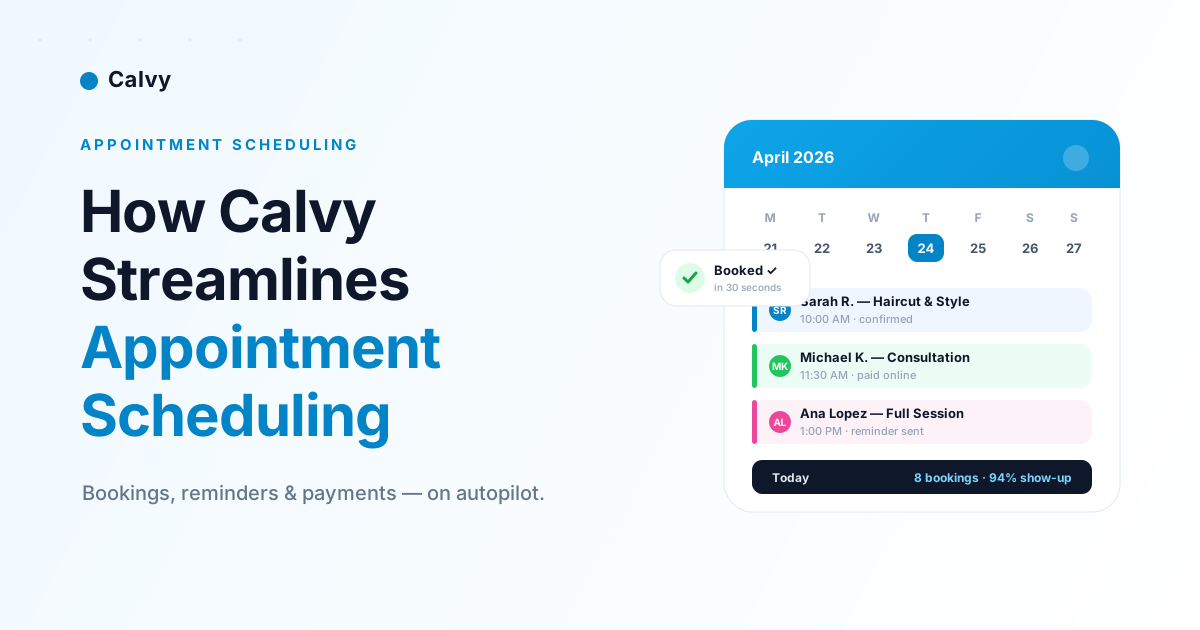
Running a service business means your day is a constant stream of bookings, reschedules, reminders, and payments. When all of that lives in your head — or scattered across WhatsApp chats, phone calls, and a paper diary — things slip. Slots get double-booked. Clients forget and no-show. You lose evenings confirming tomorrow's schedule instead of switching off.
Calvy replaces that chaos with one streamlined system: a booking page your clients can use around the clock, a calendar that updates in real time, automatic reminders, and online payments — all working together so scheduling runs itself. Here's exactly how Calvy streamlines appointment scheduling, step by step.
The hidden cost of manual scheduling
Manual appointment scheduling quietly drains time and revenue every single week:
- Phone tag — clients call when you're mid-appointment, you call back when they're busy.
- Double-bookings — two people, one slot, one very awkward conversation.
- No-shows — without reminders, 20–30% of appointments can simply not turn up.
- After-hours admin — confirming and rescheduling long after you've closed.
- Lost bookings — clients who wanted to book at 11pm, found no easy way, and moved on.
Every one of these is a scheduling problem. Fix the scheduling, and the rest follows.
A booking page that works while you sleep
The foundation of streamlined scheduling is letting clients book themselves. With Calvy, you get a polished booking page in about 60 seconds — no website, no developer, no design work. Share the link on Instagram, WhatsApp, or your Google profile, and clients can:
- Pick a service and a staff member
- See your real, live availability
- Confirm in around 30 seconds — any time of day
You wake up to a full calendar instead of a full voicemail.
Real-time availability — and zero double-bookings
A booking page is only useful if it never offers a slot you can't honour. Calvy calculates availability from your working hours, service durations, slot intervals, and existing appointments, then validates every booking on the server before it's confirmed. That means:
- No two clients can grab the same slot
- Past or out-of-hours times are rejected automatically
- Group services respect their capacity limits
The result is a calendar you can trust without double-checking it.
Automatic reminders that cut no-shows
No-shows are the most expensive scheduling problem — and the easiest to fix. Calvy sends automatic reminders ahead of every appointment by email, WhatsApp, and push notification, so clients actually show up. There's nothing to remember and nothing to send manually; it just happens in the background, the day before each booking.
Fewer no-shows means more revenue from the exact same calendar.
Get paid up front — or at the visit
Scheduling and payments belong together. Calvy lets you choose how you collect:
- Prepaid — clients pay online when they book, which dramatically reduces no-shows and protects your time.
- Postpaid — collect at the visit and mark it paid in a tap.
Online payments are handled securely, and with automatic payouts the money lands in your account without extra admin.
One calendar for your whole team
As you add staff and services, Calvy keeps everything in a single, colour-coded calendar. Each team member has their own working hours and bookings, so the right person is always matched to the right appointment. Rescheduling is a drag-and-drop, and clients are kept in the loop automatically.
Insights that help you grow
Streamlined scheduling also gives you data you never had on paper. Calvy's dashboard surfaces your revenue, show-up rate, busiest times, and top clients — so you can see what's working and make confident decisions about hours, pricing, and staffing.
Streamlined scheduling in three steps
- Create your booking page — sign up and you're live in about a minute.
- Share your link — on social, WhatsApp, or your existing site.
- Let Calvy handle the rest — bookings, reminders, payments, and follow-up run on autopilot.
Ready to streamline your scheduling?
Stop running your calendar from your inbox. Calvy turns appointment scheduling into something that quietly takes care of itself — so you can spend your time on clients, not admin.
Get your free booking page and see how much smoother your week can be.
Frequently asked questions
How long does it take to set up Calvy?
About a minute. Sign up, add your services and staff, and your booking page is instantly live to share — no website or developer needed.
Do my clients need an app or account to book?
No. Clients book through your link in any browser — there's no app to download and no account to create.
Can Calvy help reduce no-shows?
Yes. Automatic reminders by email, WhatsApp, and push, combined with optional prepayment, significantly cut no-shows.
Is there a free plan?
Yes — Calvy has a lifetime-free plan with no credit card required. You only upgrade when you need more.